[RELEASE] FMRTE v15.3.2.16 (Feedback & Discussion)
- Replies 629
- Views 385.6k
- Created
- Last Reply




Most Popular Posts
-
FMRTE 15.1.3 (build 6) - RELEASED Download: Through FMRTE Auto Update or http://www.fmrte.com/download/fmrte15 Changelist (build 6) Added support for 15.1.3 game version
-
What an rotten attitude. The writers/testers take time of their own to help get this brilliant application out to us and you say you "payed for nothing". Show some patience. Idiot.
-
We do pay attention to the requests section i can also tell you that it was not easy to fulfill this request. There are also other added features that we didnt mention on the change log little th

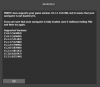
The version of FMRTE was designed to work with FM 15.3.2
STEAM automatically updates the game when a new patch is released.
While it’s advisable to keep the game updated, you should know that every time the game is updated it makes FMRTE useless, meaning that it also needs to be updated.
So if you want to keep using FMRTE, you SHOULD use STEAM in OFFLINE mode, or do a full backup of the folder of the game, so you can restore it later.
This is to prevent the game from being updated automatically as we cannot GUARANTEE that we will be able to update FMRTE to make it work with a future game patch.
Supported game modes:
FMRTE does not allow you to save any changes in Football Manager Classic (FMC) game mode. You can still use FMRTE, but as a scout utility only..
This restriction is intentional and we don't have any plans to remove it.
FMRTE Requires .NET FRAMEWORK 4.0
IF YOU NEED TO ACTIVATE FMRTE AGAIN, JUST USE YOUR LICENSE KEY (GET IT FROM YOUR CLIENT AREA)
Changelist (build 16)
- Added support for 15.3.2 game version
Changelist (build 15)- Fixed a loding issue
Changelist (build 14)- Added Leagues Prize Money (only visible for Leagues that have Prize Money)
- Fixed some loading issues
- Fixed Current Screen for 15.3.1
- Fixed an issue that was causing crashes on Players Contracts. Positions, etc..
Changelist (build 13)- Added support for 15.3.1 game version
Changelist (build 12)- Fixed Clubs Match Preparation
- Fixed Clubs Possible Signings
Changelist (build 11)- Added support for 15.3.0 game version
Changelist (build 10)- Added support for 15.2.1 game version
Changelist (build 9)- Added support for 15.2.0 game version
- Fixed missing attribute 'Determination' on Filter Options for Staff
- Added Reason option on some relation types (for ex, now you can have a son, or brother)
- Updated French, Korean and Turkish language files
- Now on retirements list we show players and staff
Changelist (build 7)- Added support for 15.1.4 game version
- Fixed Players unhappiness
- Fixed Currency Manager
Changelist (build 6)- Added support for 15.1.3 game version
Changelist (build 5)- Fixed ingame date
- Fixed Home Grown button
- Fixed Players International Retirement
Changelist (build 4)- Added support for 15.1.1
- Added a new gamer option: Allow Squad Numbers at Anytime
- Added a new gamer option: Allow Squad Registration at Anytime
- Added a new gamer option: Become Unsackable
- Added Clubs Supporter Profiles
- Added Clubs Tactical Preferences
- Fixed Formed at Club
- Fixed Players bans
- Fixed Clubs Youth Academy
- Fixed Clubs Youth Recruitment
- Fixed Clubs Affiliations
- Fixed some UI issues
Changelist (build 3)- Fixed players contract clausules
- Fixed Clubs Affiliations
- Gamer coaching attributes can now be saved
- Fixed some UI issues
Changelist (build 2)- Added support for 15.0.3 game version
Changelist (build 1)- Support for FM 2015
- New layout
- Number of allowed staff and scout's is now editable
FM versions supported: