Leaderboard
-
BraCa
Administrators1Points5079Posts -

culturedleftfoot
Senior Moderators1Points10503Posts -
Ian Lawley
Members1Points1Posts -
Traya
Members1Points2Posts



Popular Content
Showing content with the highest reputation on 11/08/25 in all areas
-
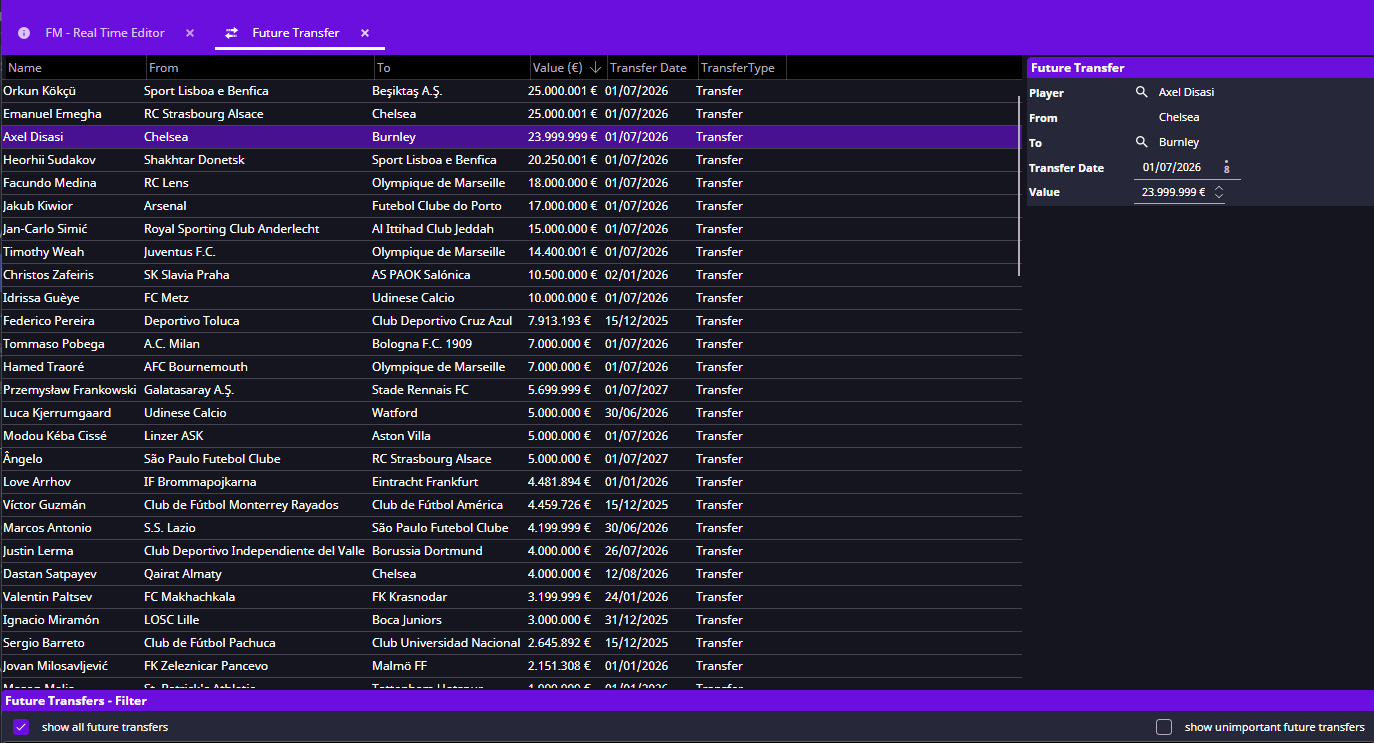
1 pointFMRTE for macOS FMRTE for macOSThis version of FMRTE was designed to work with FM 26.3.1 Note: FM 2026 has some protections that prevent tools like FMRTE from accessing the game. You can know more about this here Changelog Build 40AddedSupport for FM 26.3.2 game update Build 39AddedSupport for FM 26.3.1 game update Build 38AddedSupport for FM Apple Arcade/Touch 26.3.0 game update Build 37AddedSupport for FM 26.3.0 Hotfix game update Build 36AddedSupport for FM 26.3.0 game update Build 35AddedSupport for FM 26.2.0 Hotfix game update Build 34AddedSupport for FM 26.2.0 game update Build 33AddedSupport for FM 26.1.3 Hotfix game update Build 32AddedSupport for FM 26.1.3 game update FixedSome minor issues Build 31AddedSupport for NG Regens facepacks FixedAn error when installing facepacks (e.g., “The given key ‘SAMed’ was not present in the dictionary”). Build 30AddedSupport for FM Apple Arcade/Touch 26.1.2 2255450 Build 29AddedSupport for FM 26.1.2 game update Build 28AddedIn Possession / out of Possession roles FixedSome UI issues Persons Languages tab - Languages are now sorted alphabetically ChangedDouble-clicking a search result no longer automatically switches to the new tab (configurable in FMRTE Settings) UpdatedFrench translation Build 27AddedSupport for FM 26.1.1 game update Build 25AddedSupport for FM 26.1.0 game update Build 23AddedSupport for Apple Arcade/Touch 26.0.6 2239570 Build 22AddedSupport for FM 26.0.6 2239350 Support for Apple Arcade/Touch 26.0.5 2235103 Build 21FixedSorting not working for some columns Build 20AddedSupport for FM 26.0.5 2234684 Build 19AddedSupport for FM 26.0.5 2234684 (BETA) Support for Apple Arcade/Touch 26.0.4 FixedSorting not working for some custom columns Hotkeys to close tabs not working UpdatedKorean translation Build 17AddedNew affiliation types Clubs Players gender to some views Gender filter to search bar Staff out of possession prefered formations Players body type Hotkey to open advanced filter (CMD+F) Hotkey to open mass edit (CMD+M) Swap staff FixedPrefered formations Staff coaching attributes (goalkeeping, possession) An error when editing a future transfer Missing contract for some staff members Build 16AddedSupport for Apple Arcade/Touch 26.0.0 Build 15AddedSupport for 26.0.4 2231492 Build 14AddedClubs Match Preparation (tactics familiarity) FixedAdvanced Search - Filter by asking price not working Build 12AddedSupport for FM 26.0.3 FixedData grids columns spacing Players Asking price Build 11FixedLight theme colors miniFMRTE not saving changes Build 10AddedSupport for FM 26.0.3 BETA game version FixedHow to Enable Experimental featuresGo to FMRTE Settings Check the ‘Enable Experimental Features’ checkbox Press the Save button Supported Versions Steam/Epic StoreFootball Manager 2026 - 26.3.2 (2329565) Football Manager 2026 - 26.3.1 (2314801) Football Manager 2026 - 26.3.0 (2283239, 2286575) Football Manager 2026 - 26.2.0 (2275071, 2276383) Football Manager 2026 - 26.1.3 (2265543, 2266940) Football Manager 2026 - 26.1.2 (2255777) Football Manager 2026 - 26.1.1 (2248379) Football Manager 2026 - 26.1.0 (2245540) Football Manager 2026 - 26.0.6 (2239350) Football Manager 2026 - 26.0.5 (2234684, 2234962) Football Manager 2026 - 26.0.4 (2231492) Football Manager 2026 - 26.0.3 (2228954) Supported Versions Apple ArcadeFootball Manager 2026 - 26.3.2 (2329845) Football Manager 2026 - 26.3.1 (2314801) Football Manager 2026 - 26.3.0 (2286575) Football Manager 2026 - 26.2.0 (2273134) Football Manager 2026 - 26.1.3 (2264027) Football Manager 2026 - 26.1.2 (2255450) Football Manager 2026 - 26.1.0 (2245647) Football Manager 2026 - 26.0.5 (2235103) Football Manager 2026 - 26.0.4 (2232675) Football Manager 2026 - 26.0.0 (2228505) Supported BETA VersionsFootball Manager 2026 BETA - 26.0.5 (2234684) Football Manager 2026 BETA - 26.0.3 (2228945) File Information Submitter BraCa Submitted 11/02/25 Category Football Manager 26 View File
 1 point
 -
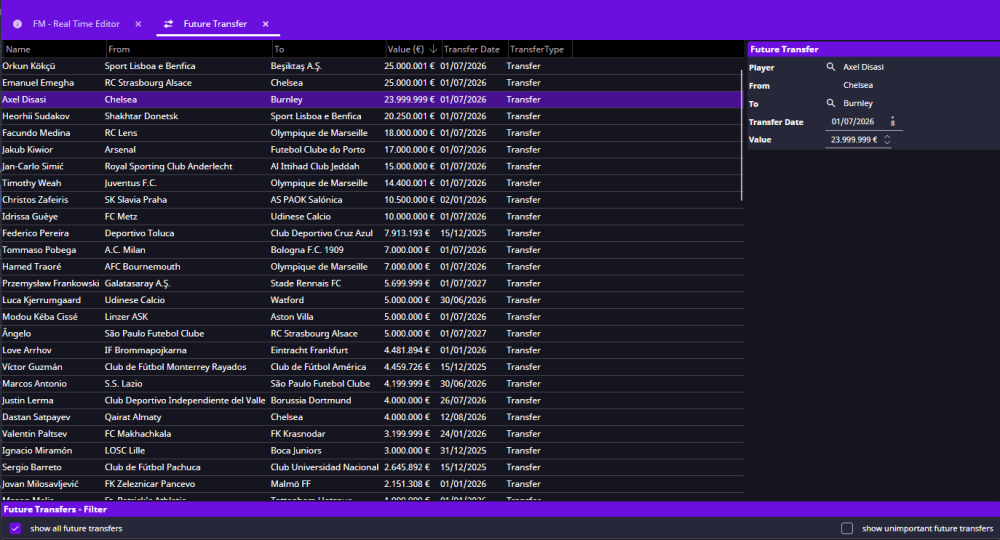
Hello, I´m new to this tool and I'm not sure how to set future tranfers, everytime I change the player to be transfered, FMRTE26 will lose the player contract information and set the player as free agent instead of completing the deal, FMRTE26's screen will show the deal but no player contract, so I'd like to ask you what I'm doing wrong. - Not english native [1]What is your exact FM version: 26.0.4 [2]What is your exact FMRTE version: FMRTE 26.0.4-build15 [3]Are you running FMRTE as administrator- YES [4]Do you have a current license: YES. Picture to show how after changing the player all contract information is lost.
 1 point
 -
I agree. been playing since the Championship Manager days, but for whatever reason SI have killed they,re golden goose. FM26 is unplayable. I never minded that the graphics were not state of the art. it was the gameplay that set it apart. the rot started when they introduced monotonus media interaction and interviews. time wasting drivel. But this game seems as if they have let loose a gaggle of coding geeks, with no interest in football, and they've gone down the washing machine route, to show how clever they are. you know when you get 64 different wash cycles, when 3 will suffice ! Well they have fleeced me this year but never again, and I will advice my considerably large group of family and friends to avoid at all cost.1 point
-
1 point