Leaderboard
-
BraCa
Administrators5Points5071Posts -
David Rooney
Beta Testers1Points186Posts -
Saint666
Members1Points49Posts -
FrazT
Members1Points51Posts



Popular Content
Showing content with the highest reputation on 11/28/20 in Posts
-
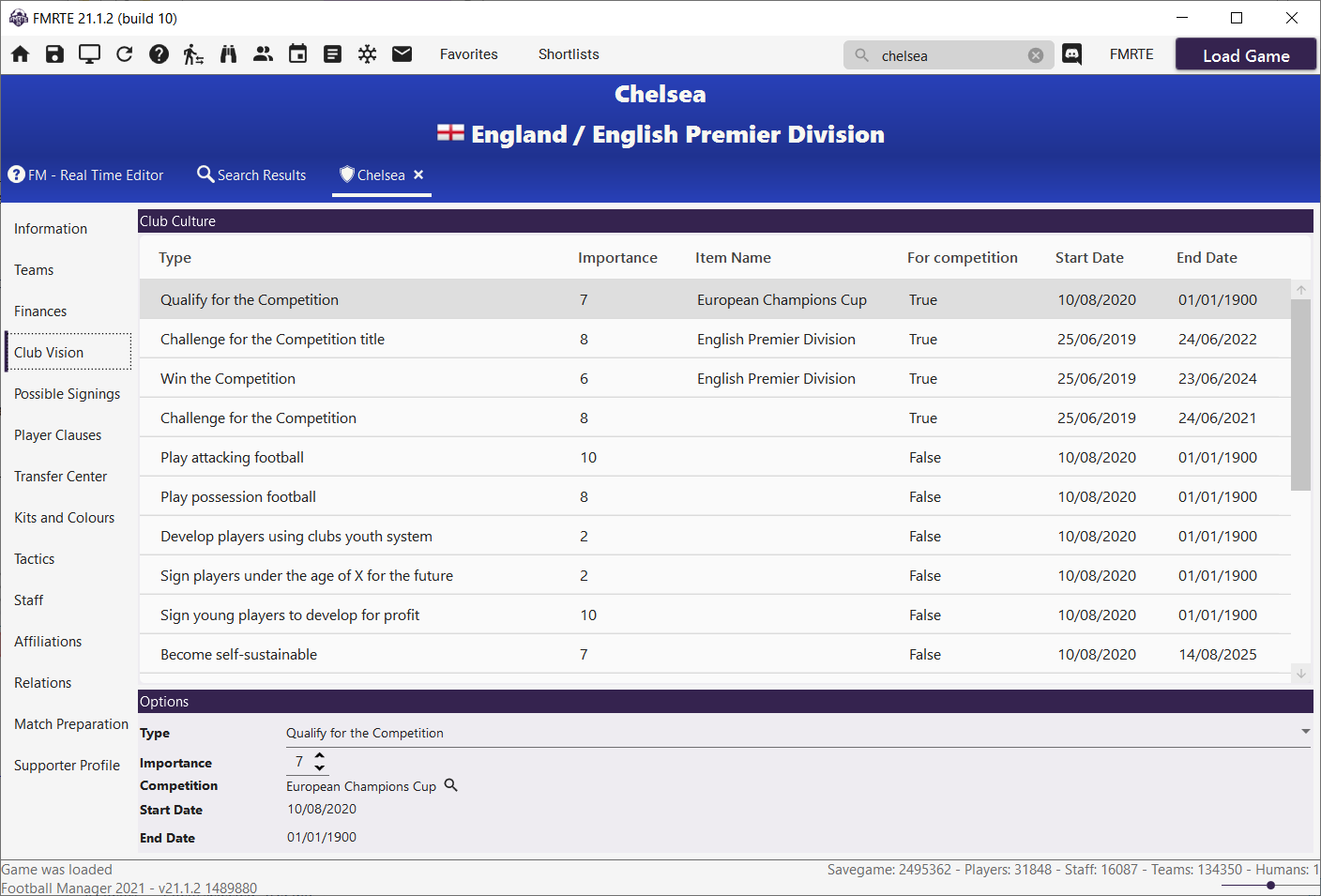
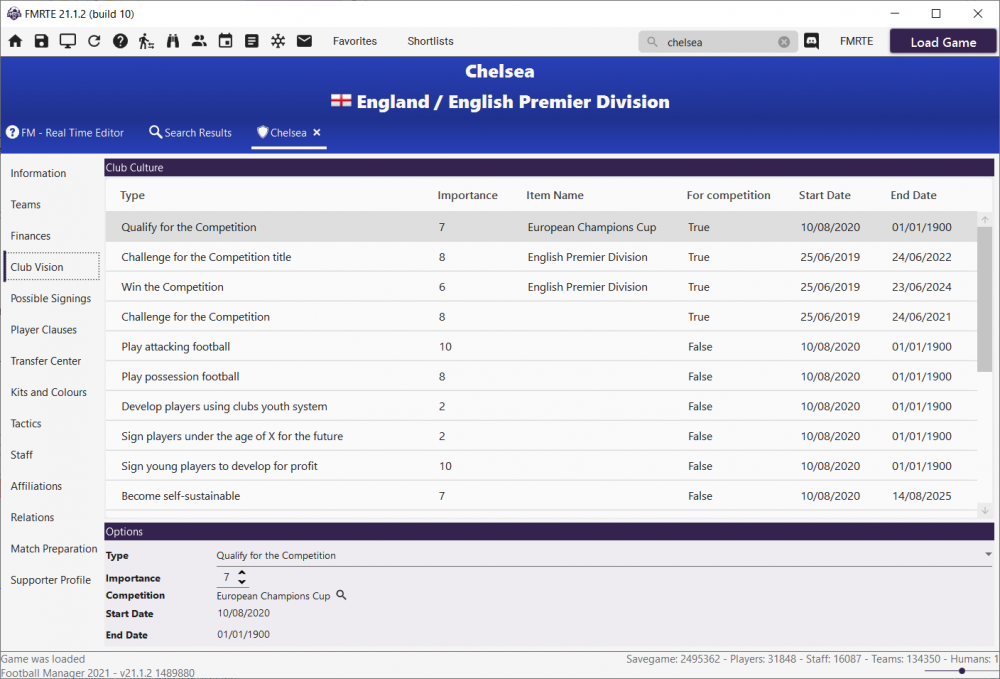
2 pointsOur next release for FMRTE 21 will have the ability to edit Clubs Vision as an experimental feature Not quite sure, if editing those have any practical effect in game, but at least, changes are visible in game
 2 points
 -
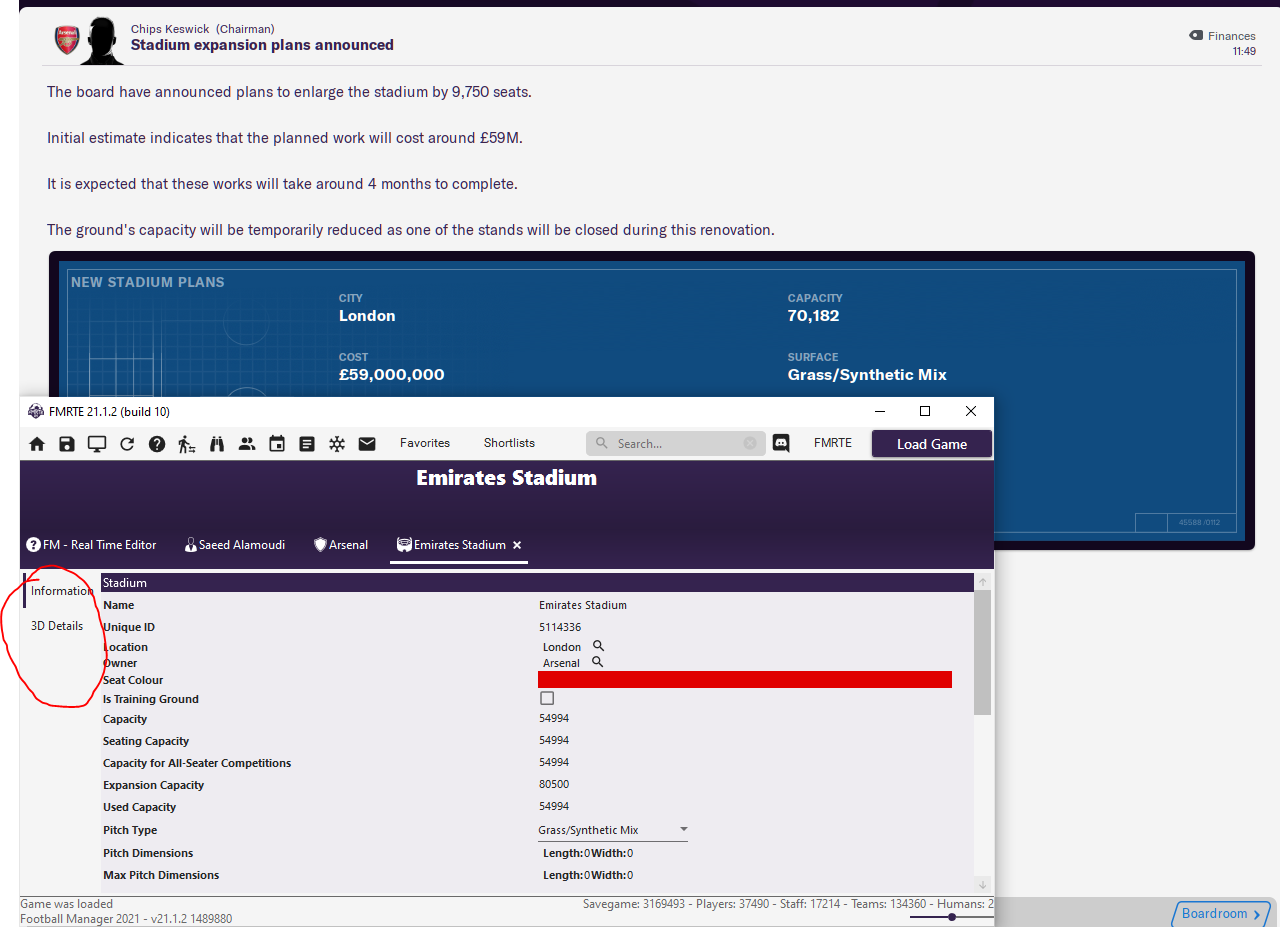
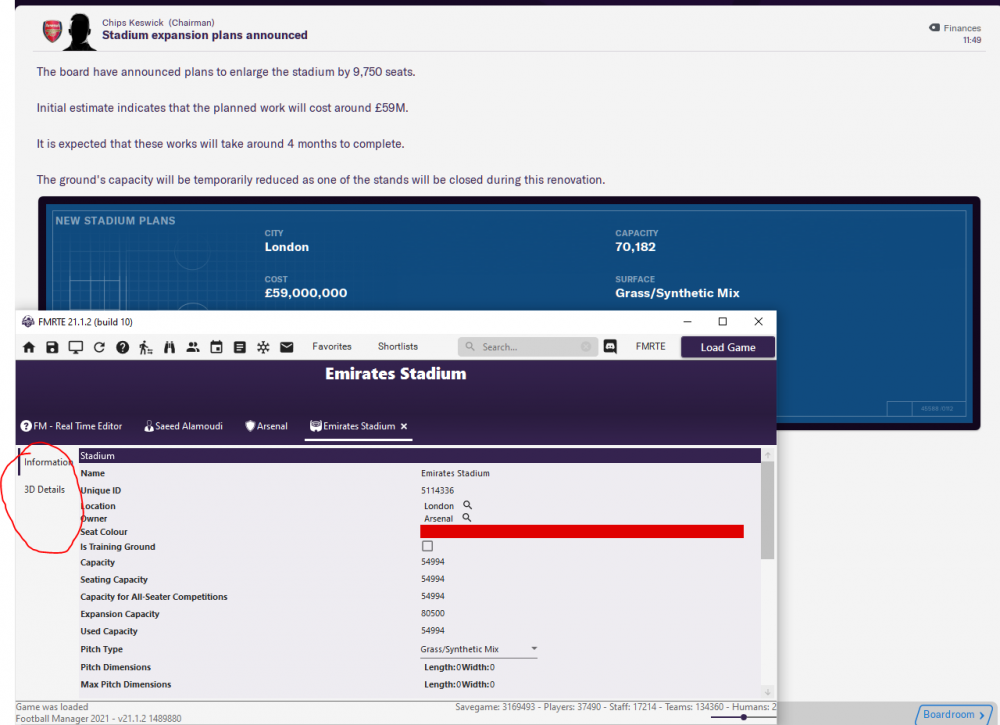
1 pointHi There is no expansion editing tab despite the board confirming the expansion at the end of the season.. Please see attached I along with other have raised this issue for the past 3-4 years.. and we were told that it will incorporated into the next build.. but it never appears on this or any of the previous version of FMRTE Please please resolve this issue or guide me to how get this tab .. maybe im doing something wrong
 1 point
 -
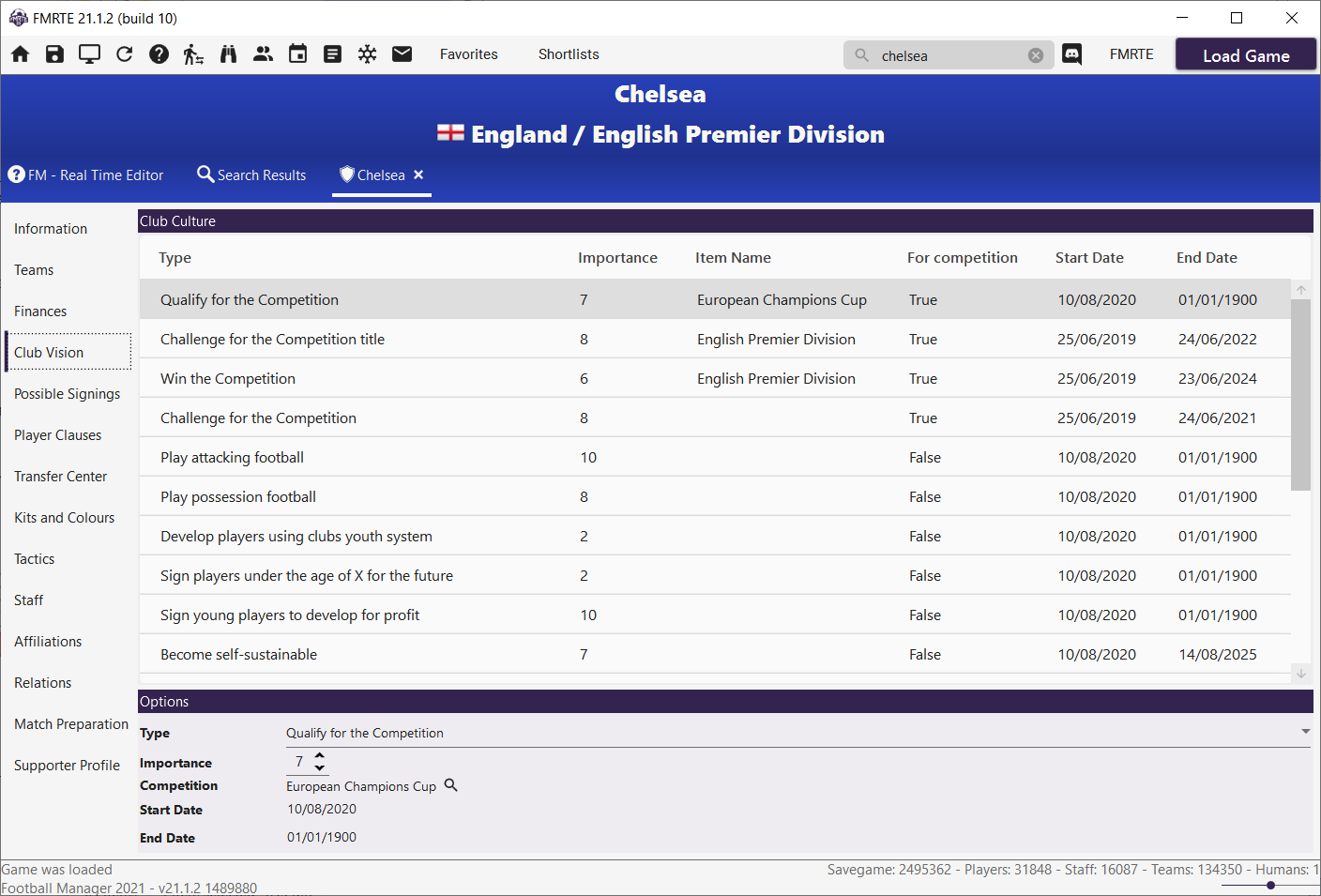
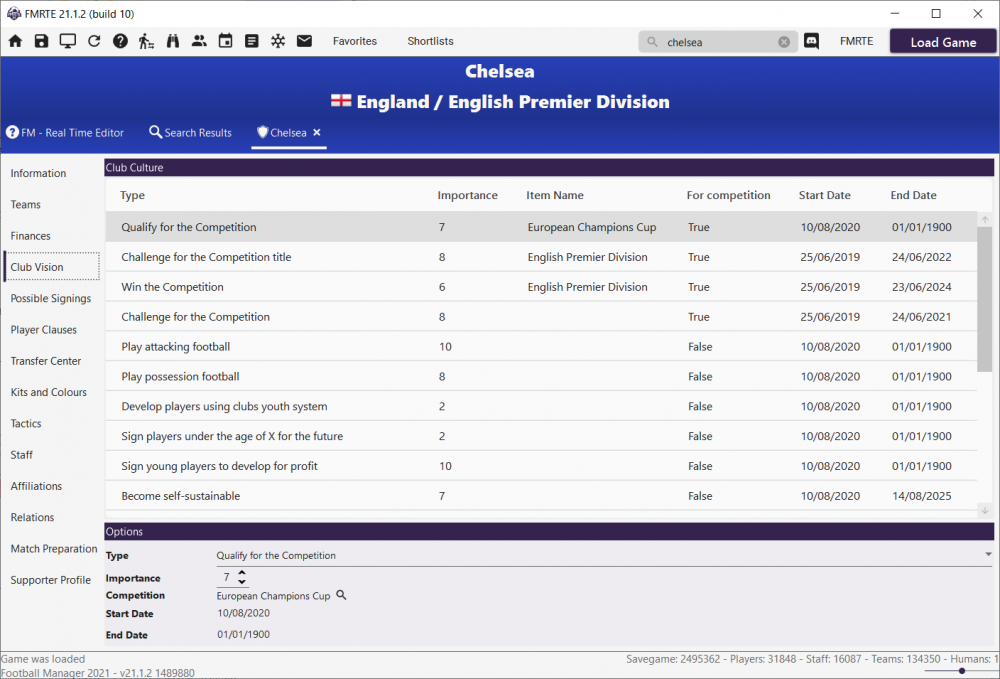
1 pointOur next release will have the ability to edit Clubs Vision as an experimental feature Not quite sure, if editing those have any practical effect in game, but at least, changes are visible in game
 1 point
 -
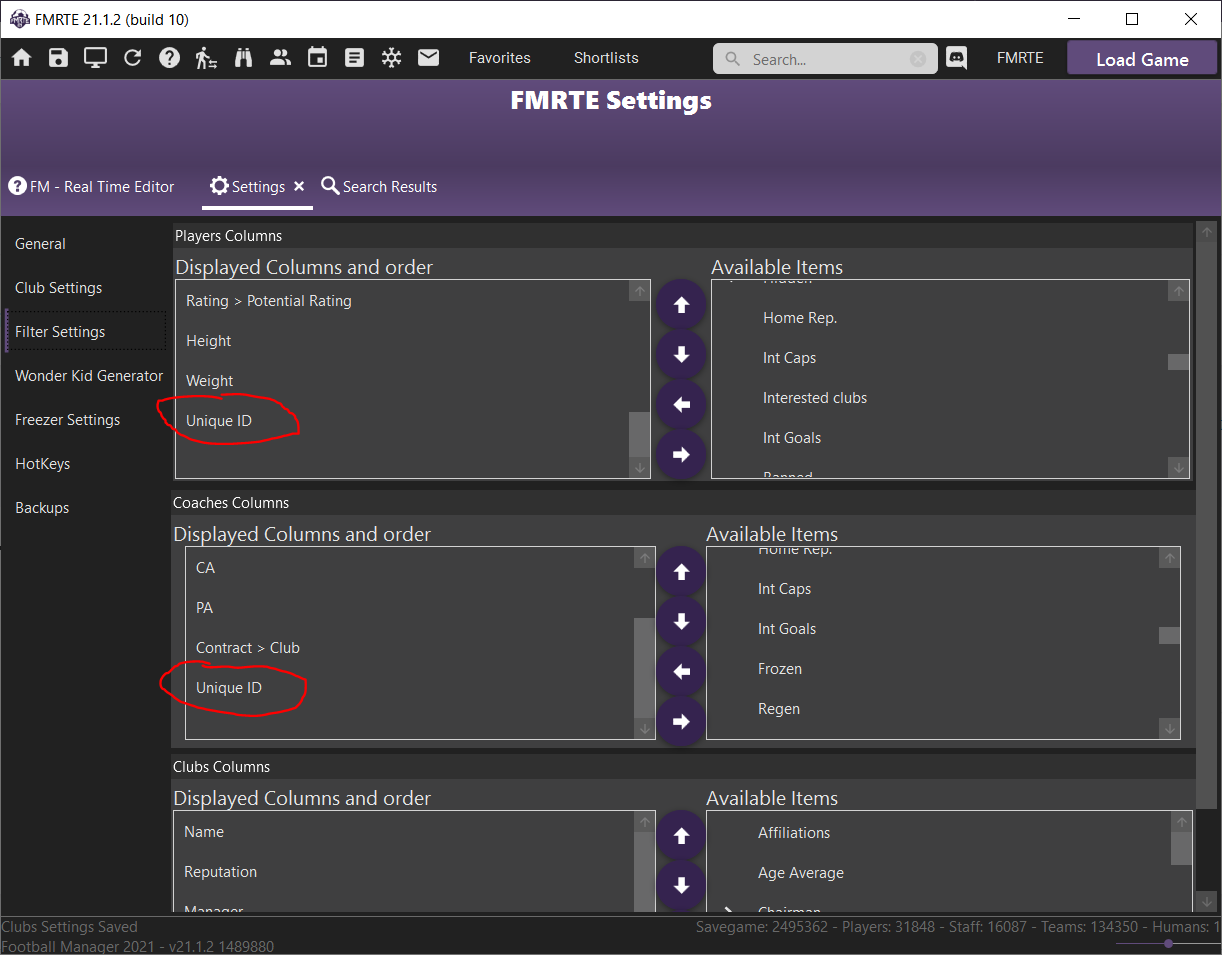
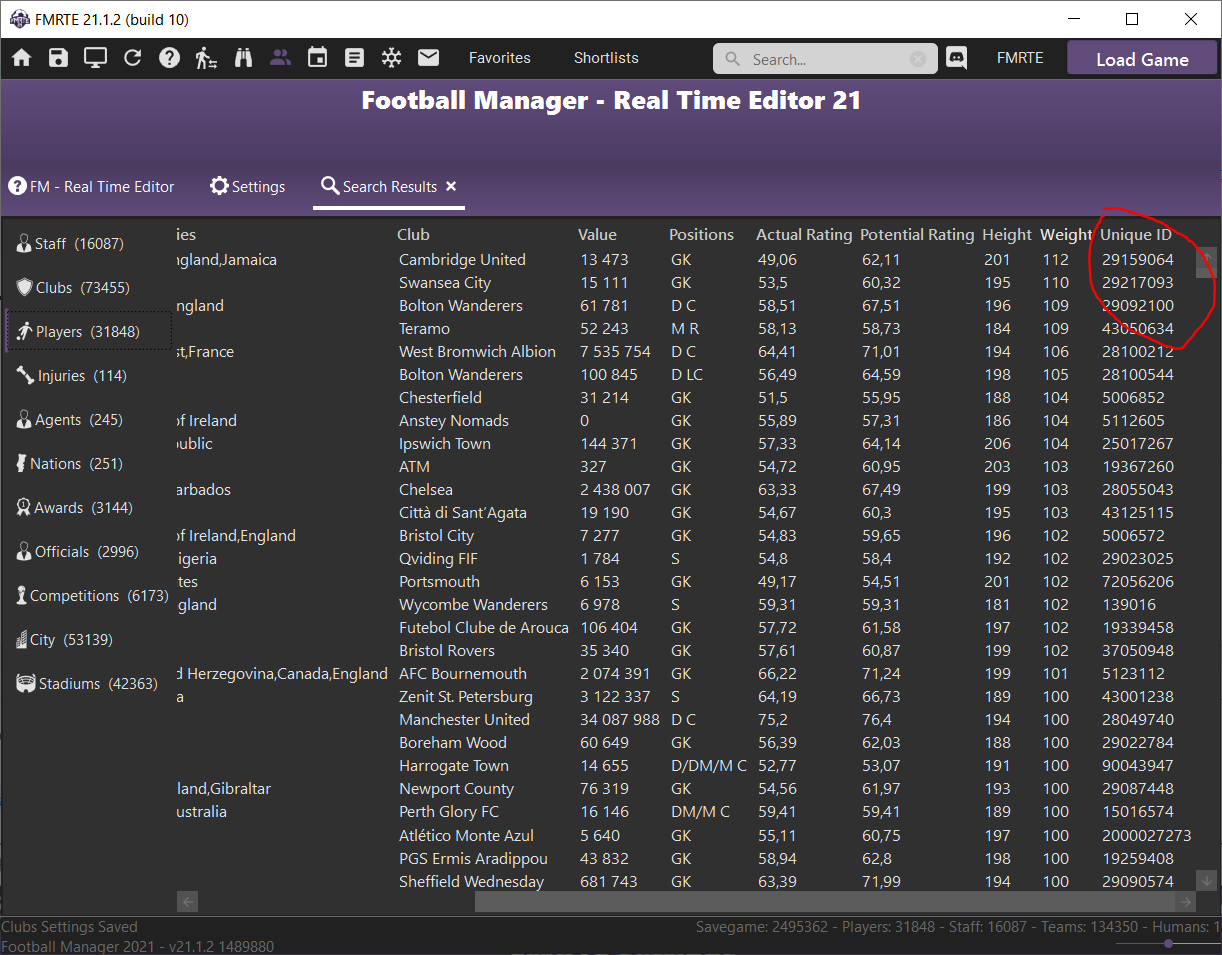
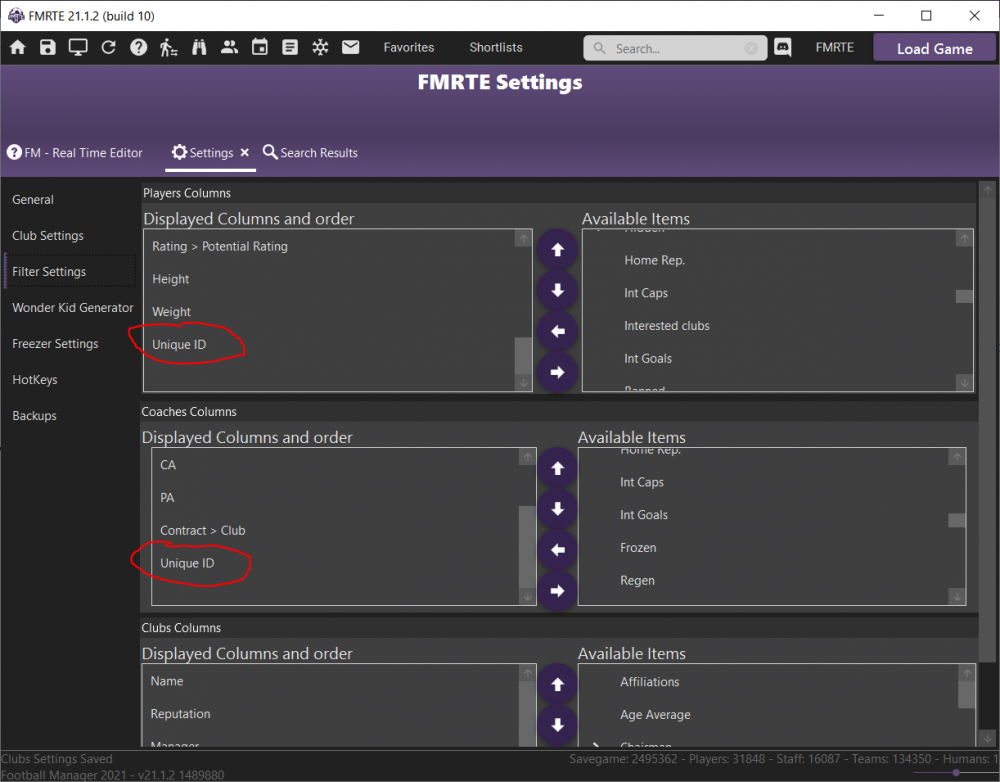
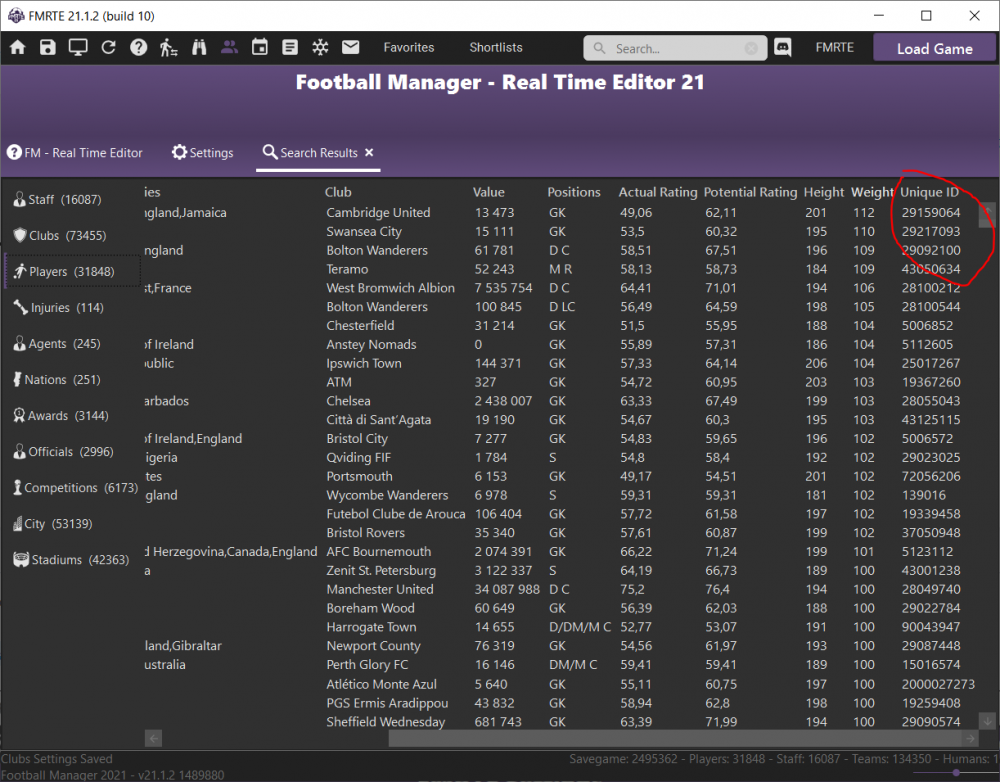
Hi @LaGrandeInter You can add Unique ID to the search results, please take a look at those screenshots
 1 point
 -
1 pointHello guys, Yes, FMKE 20 might not work with FM21 (it's expected). I'll start to work on FMKE 21 on the next few weeks, as soon as I have an update I'll let you know. Cheers1 point
-
1 pointJust a quick update that the yellow ball in the SPL has been adjusted for the game and is now nice and visible, so ne editing should be needed.1 point
-
1 pointThe "Exception has been thrown by the target of the invocation" on fmrte was indeed my PC being messed up. Seen a few posts about it on google. Definitely not an fmrte bug....glad to report i'm now back up and running with fmrte and fm after a full windows 10 install which only took about 45 mins to do. Had to restart a new game but just relieved to get back up and running!1 point