FM21 Beta is now out.
- Replies 82
- Views 32.9k
- Created
- Last Reply
Top Posters In This Topic
-
culturedleftfoot 19 posts
-
David Rooney 9 posts
-
BraCa 7 posts
-
PODSY12345 5 posts




Most Popular Posts
-
Hi guys, I'm working on it And hopefuly I should have a BETA version available soon. This first version will probably be released only here in the forum and then after some te
-
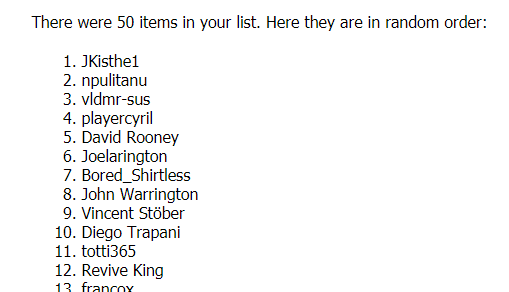
Thank you guys, I've decided to give 5 more licenses (10 in total) The winners are: JKisthe1 npulitanu vldmr-sus playercyril David Rooney Joelarington Bored_Shirtless John Warri
-
FMRTE 21.0.0 (Build 1) BETA - Released Download: https://www.fmrte.com/download/fmrte21 Notes This is a HIGHLY EXPERIMENTAL version, use it at your own RISK Some f
Posted Images
Featured Replies

This topic is now closed to further replies.
SI have put something out where they stand on releasing FM21
I suggest users take a quick read, it sounds like the product will be coming out much later than normal, IMO not a bad thing at all.
https://community.sigames.com/topic/525843-sports-interactive-and-the-impact-of-covid-19/
Updating the OP as some users are not reading the thread just starting other threads on this/possible FMRTE21 too
so read this and follow the rules please.