Skip to content

[RELEASE] FMRTE v15.3.2.16 (Feedback & Discussion)

IMPORTANT – PLEASE READ!

The version of FMRTE was designed to work with FM 15.3.2

STEAM automatically updates the game when a new patch is released.
While it’s advisable to keep the game updated, you should know that every time the game is updated it makes FMRTE useless, meaning that it also needs to be updated.
So if you want to keep using FMRTE, you SHOULD use STEAM in OFFLINE mode, or do a full backup of the folder of the game, so you can restore it later.
This is to prevent the game from being updated automatically as we cannot GUARANTEE that we will be able to update FMRTE to make it work with a future game patch.

Supported game modes: 
FMRTE does not allow you to save any changes in Football Manager Classic (FMC) game mode. You can still use FMRTE, but as a scout utility only..
This restriction is intentional and we don't have any plans to remove it.

FMRTE Requires .NET FRAMEWORK 4.0

IF YOU NEED TO ACTIVATE FMRTE AGAIN, JUST USE YOUR LICENSE KEY (GET IT FROM YOUR CLIENT AREA)

Changelist (build 16)
  • Added support for 15.3.2 game version
Changelist (build 15)
  • Fixed a loding issue
Changelist (build 14)
  • Added Leagues Prize Money (only visible for Leagues that have Prize Money)
  • Fixed some loading issues
  • Fixed Current Screen for 15.3.1
  • Fixed an issue that was causing crashes on Players Contracts. Positions, etc..
Changelist (build 13)
  • Added support for 15.3.1 game version
Changelist (build 12)
  • Fixed Clubs Match Preparation
  • Fixed Clubs Possible Signings
Changelist (build 11)
  • Added support for 15.3.0 game version
Changelist (build 10)
  • Added support for 15.2.1 game version
Changelist (build 9)
  • Added support for 15.2.0 game version
  • Fixed missing attribute 'Determination' on Filter Options for Staff
  • Added Reason option on some relation types (for ex, now you can have a son, or brother)
  • Updated French, Korean and Turkish language files
  • Now on retirements list we show players and staff
Changelist (build 7)
  • Added support for 15.1.4 game version
  • Fixed Players unhappiness
  • Fixed Currency Manager
Changelist (build 6)
  • Added support for 15.1.3 game version
Changelist (build 5)
  • Fixed ingame date
  • Fixed Home Grown button
  • Fixed Players International Retirement
Changelist (build 4)
  • Added support for 15.1.1
  • Added a new gamer option: Allow Squad Numbers at Anytime
  • Added a new gamer option: Allow Squad Registration at Anytime
  • Added a new gamer option: Become Unsackable
  • Added Clubs Supporter Profiles
  • Added Clubs Tactical Preferences
  • Fixed Formed at Club
  • Fixed Players bans
  • Fixed Clubs Youth Academy
  • Fixed Clubs Youth Recruitment
  • Fixed Clubs Affiliations
  • Fixed some UI issues
Changelist (build 3)
  • Fixed players contract clausules
  • Fixed Clubs Affiliations
  • Gamer coaching attributes can now be saved
  • Fixed some UI issues
Changelist (build 2)
  • Added support for 15.0.3 game version
Changelist (build 1)
  • Support for FM 2015
  • New layout
  • Number of allowed staff and scout's is now editable
FM versions supported:
  • Football Manager 2015 – 15.3.2.627042 (Retail version)
  • Football Manager 2015 – 15.3.1.615248 (Retail version)
  • Football Manager 2015 – 15.3.0.610347 (Retail version)
  • Football Manager 2015 – 15.2.1.585343 (Retail version)
  • Football Manager 2015 – 15.2.0.583900 (Retail version)
  • Football Manager 2015 – 15.1.4.579096 (Retail version)
  • Football Manager 2015 – 15.1.3.572980 (Retail version)
  • Football Manager 2015 – 15.1.1.571183 (Retail version)
  • Football Manager 2015 – 15.0.3.569609 (Beta version)
  • Football Manager 2015 – 15.0.2.563894 (Beta version)
  •  


  • Replies 629
  • Views 385.6k
  • Created
  • Last Reply

Top Posters In This Topic

Most Popular Posts

  • FMRTE 15.1.3 (build 6) - RELEASED Download: Through FMRTE Auto Update or http://www.fmrte.com/download/fmrte15 Changelist (build 6) Added support for 15.1.3 game version

  • What an rotten attitude. The writers/testers take time of their own to help get this brilliant application out to us and you say you "payed for nothing". Show some patience. Idiot.

  • We do pay attention to the requests section i can also tell you that it was not easy to fulfill this request.   There are also other added features that we didnt mention on the change log little th

Posted Images

Featured Replies

  • Author

You got a savegame from me, doubt it helps since it's an issue thats there even before you load the game.


Thanks for the save but i think you are experiencing a different issue, from what i understand you are having problems saving your settings correct?


If so try deleting or moving to a different folder your config.xml file located in your FMRTE installation folder also make sure you are running FMRTE as Administrator and dont forget to click on the save button :P


Let me know the result

This is so fun..., last night, when I stopped playing, none of the things worked..., now it ALL works. I can see all tabs, and search for players. I always use FMRTE as administrator, so that's not the case..., so strange.

Did you went over 2.1474... billion or something like this? Cause then it is normal cause the game is 32-bit and in order to show negative ammounts of money it can only show money from -2.14 to 2.14 billions. So it may not be the FMRTE. If you raised to much yout sponsorships, That will eventually exceed the maximum possitive ammount of money then any value above cannot be shown cause the system uses a signed integer.


A 32-bit register can store 232 different values. The signed range of integer values that can be stored in 32 bits is -2,147,483,648 through 2,147,483,647 (unsigned: 0 through 4,294,967,295). Hence, a processor with 32-bit memory addresses can directly access 4 GiB of byte-addressable memory.


Just a thought. Don;t know if I can explain it very well. Search


EDIT:  And my log if it helps for the developers of FMRTE for the error issue.

error.log

For me match preperation doesnt work anymore. in FMRTE shows all to 100, but in game no changes are made. I run FMRTE in administrator mode.

Did you went over 2.1474... billion or something like this? Cause then it is normal cause the game is 32-bit and in order to show negative ammounts of money it can only show money from -2.14 to 2.14 billions. So it may not be the FMRTE. If you raised to much yout sponsorships, That will eventually exceed the maximum possitive ammount of money then any value above cannot be shown cause the system uses a signed integer.


A 32-bit register can store 232 different values. The signed range of integer values that can be stored in 32 bits is -2,147,483,648 through 2,147,483,647 (unsigned: 0 through 4,294,967,295). Hence, a processor with 32-bit memory addresses can directly access 4 GiB of byte-addressable memory.


Just a thought. Don;t know if I can explain it very well. Search


EDIT:  And my log if it helps for the developers of FMRTE for the error issue.

 
I know that particularity, but not this issue and if yesterday put in the budget transfers 1 bilion (because at the end of the season not what exceed 2 bilion), and my profit forecast for the final season is negative, which is excellent after the season after i´m suspend from UEFA.
 
The same applies to the budget for salaries which also affects the prediction club.
 
Previously worked correctly don´t know is related to the patch FM, but pls fix this.

FMRTE 15.3.1 (build 14) - RELEASED


Download: Through FMRTE Auto Update or http://www.fmrte.com/download/fmrte15

Changelist (build 14)

  • Added Leagues Prize Money (only visible for Leagues that have Prize Money)
  • Fixed some loading issues
  • Fixed Current Screen for 15.3.1
  • Fixed an issue that was causing crashes on Players Contracts. Positions, etc..

sorry Braca,


I continued with the same problem when I edit the budget values. can help?


Fmrte Before edit


2mo8m87.png


FM before


rk07za.png


Fmrte After edit


mk7lk.png


FM after


w97a87.png

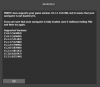
Since i've uploaded to this version i can't use FMRTE. I keep getting an "FMRTE was unable to load your game data error". What's wrong?

Since i've uploaded to this version i can't use FMRTE. I keep getting an "FMRTE was unable to load your game data error". What's wrong?

I have the same problem, it says try reloading game or restarting sytstem but none of that works :(

Since i've uploaded to this version i can't use FMRTE. I keep getting an "FMRTE was unable to load your game data error". What's wrong?


If you right click on your FMRTE icon on your desktop and click run as admin it should load then, I just tried and mine finally loaded my data.

I run it always as Admin... I get always the error "unable to load game data" after updating to build 14. And I cannot find where to download the build 13.

I run it always as Admin... I get always the error "unable to load game data" after updating to build 14. And I cannot find where to download the build 13.

 Try with different compatibility, It might work?

I've released a new version (build 15), please go to FMRTE Settings and click Check for Updates


Let me know if this new version fixed those loading issues

Yes it works now. Thank you!

If you think you found a bug, open it in the right place (our Bug Tracker)


Make sure you explain step by step, what the problem is, and what you have edited..


Also, at the moment FMRTE cannot edit anything related with Financial Fairplay


I know fmrte can not change the rules of fair play, but in previous versions I can edit budgets without having problems with the fair play rules.
 
Open bug tracker.
 
thanks braca.

match preperation still does not work, shows 100% in trainer but is unaffected in game.

Thank you fr your immediate support. All loading issues are gone. FMRTE seems to run perfect.


match preperation still does not work, shows 100% in trainer but is unaffected in game.


For me it works, worked fine! Tactis are fluid!

Join the conversation

You can post now and register later. If you have an account, sign in now to post with your account.
Note: Your post will require moderator approval before it will be visible.

Guest
Reply to this topic...

Account

Navigation

Search

Search

Configure browser push notifications

Chrome (Android)
  1. Tap the lock icon next to the address bar.
  2. Tap Permissions → Notifications.
  3. Adjust your preference.
Chrome (Desktop)
  1. Click the padlock icon in the address bar.
  2. Select Site settings.
  3. Find Notifications and adjust your preference.