FMRTE27/FM27 Beta tesing[Read opening post before posting]
- Replies 53
- Views 5.1k
- Created
- Last Reply
Top Posters In This Topic
-
culturedleftfoot 11 posts
-
sdke 7 posts
-
BraCa 4 posts
-
igorferreira118 3 posts
.thumb.jpeg.b66e49368a9d2c60fe819518b8cea9e1.jpeg)


Most Popular Posts
-
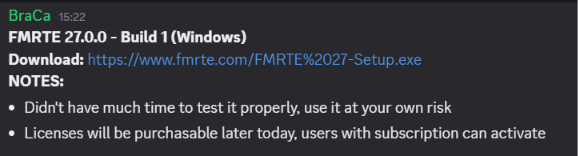
FMRTE 27.0.0 - Build 1 (Windows) Download: https://www.fmrte.com/download/fmrte27 NOTE: Use it carefully we didn't have time to test it properly Licenses will be purchasable later today, users with
-
FROM BARCA: https://www.fmrte.com/FMRTE%2027-Setup.exe
-
For users who do not use Discord Braca posted this ''Feature wise FMRTE 27 will add a some cool new features, and improve some of the existent ones'' Really looking forward to seeing what those ar
Posted Images

Featured Replies

This topic is now closed to further replies.
Hi all
So FMRTE 27 Has been released
It is new to us Mods/Beta Testers so we will be getting to grips with the new layout and what looks like great new features
NB-when using the App-
Run FMRTE as administrator- [This is suggested/ important as most issues are caused by not running the App correctly-RIGHT CLICK ON App Run as administrator]
For Beta Testing
check only one thing at a time save the change, and move the game forward to see if this feature is stable.
If you make multiple changes and the App or game crashes it is more time consuming for the Devs to resolve it, as they wont know which actual edit caused the issue.
Post stating you are/are not running App as suggested if you find any issues
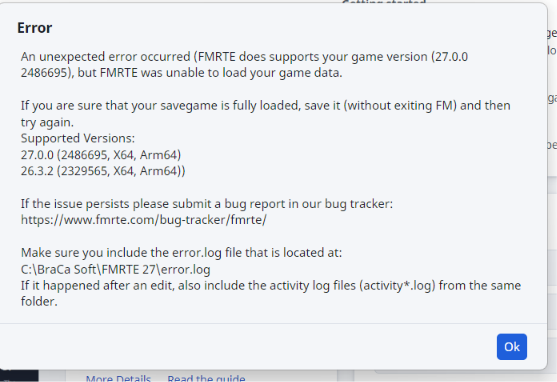
if you get any crashes report as a bug and submit any error logs and add your saved game if the Dev needs it