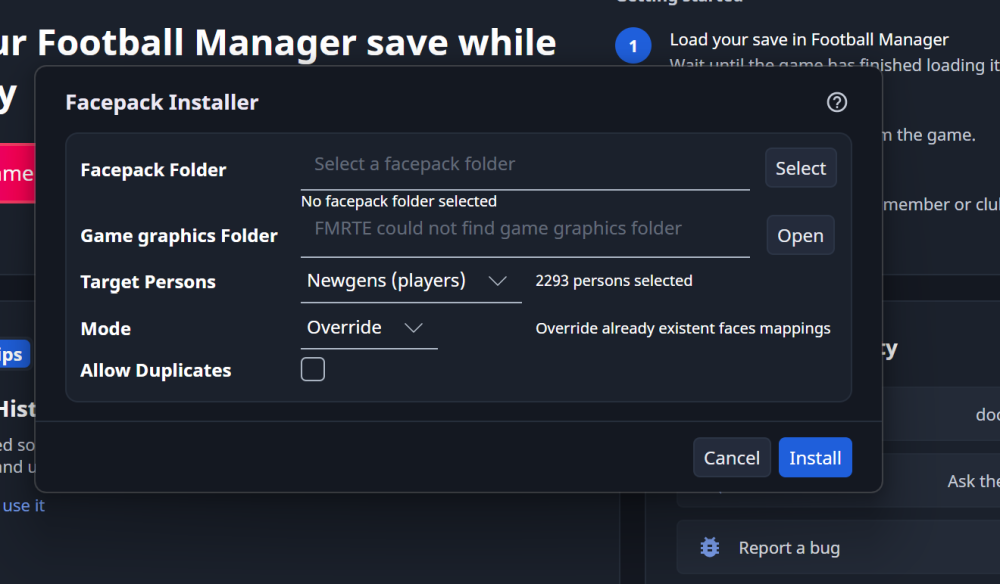
I placed my game on disk d instead of c. And when I try to switch face on players, there is notice "Could not change the image. Check the file and graphics-folder permissions. Could not update graphics at ''. The running game's graphics folder or save ID is unavailable." And I cant switch the folder as there is only a Open icon instead of Select.
You can post now and register later.
If you have an account, sign in now to post with your account.
Note: Your post will require moderator approval before it will be visible.
I placed my game on disk d instead of c. And when I try to switch face on players, there is notice "Could not change the image. Check the file and graphics-folder permissions. Could not update graphics at ''. The running game's graphics folder or save ID is unavailable." And I cant switch the folder as there is only a Open icon instead of Select.