Search
1 feature in this category
-
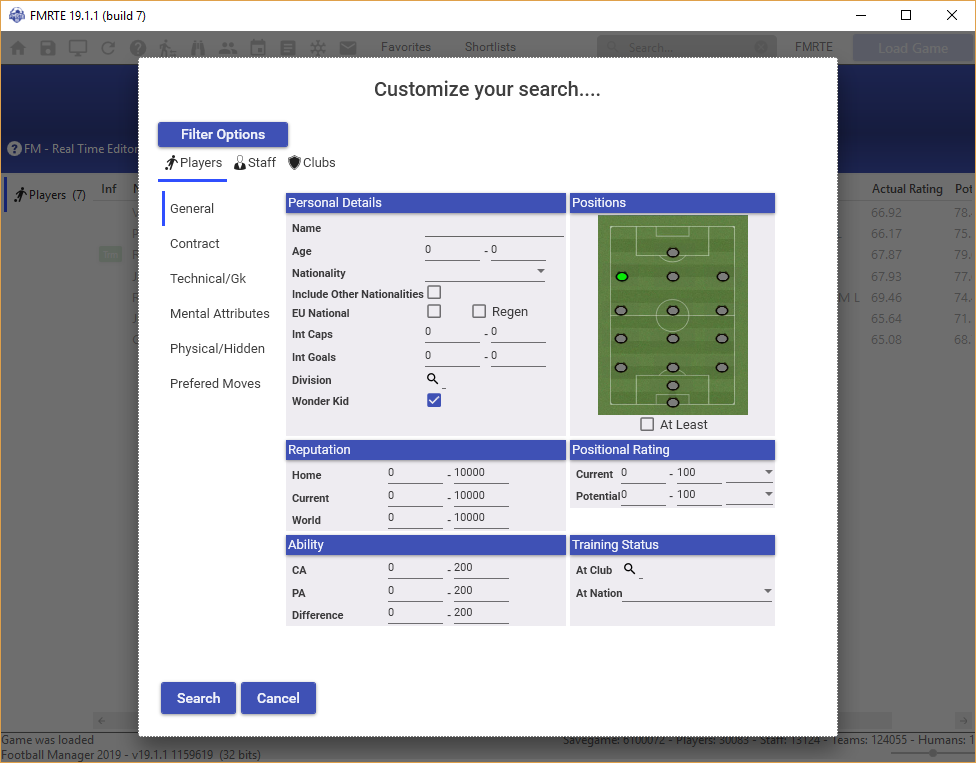
This window allows the user to filter any search you perform with different parameters or you can just simply type in something in the search bar and FMRTE will find the matches for you. As you can see, the picture below gives you the ability to filter your player search(es) with a range of parameters including wonderkid status, CA and/or PA rating, rep count, and more. The next two pictures are for the staff and club filters each with their own set of parameters. How this works